
Dart Shark has something for everyone whether you are an experienced Darts player or a beginner.
Enjoy getting your teeth into an amazing darts experience.
Let’s go!
Welcome to the jawsome Dart Shark. Getting started is easy and here’s how to begin the fun!
Step by step guide
Book session
First you must book your session at the bar where you will be provided with a scratch card that will give you a code to open the games.
The bar will provide you with the two sets of darts and chalk should you wish to score using a traditional chalkboard ( if available on the Dart Shark unit).

Access code
Reveal the access code on the scratch card and enter the code into the panel on the touch screen controller (not case sensitive).

Once you have pressed to ‘Play Darts’ on the opening screen you can get set up for your session


 Manage players
You can add or remove players and see the current scores

Add players
You can enter your own players and choose your own avatar or you can select multi-add which will automatically assign an avatar for the players. You can edit the image once you have added your players


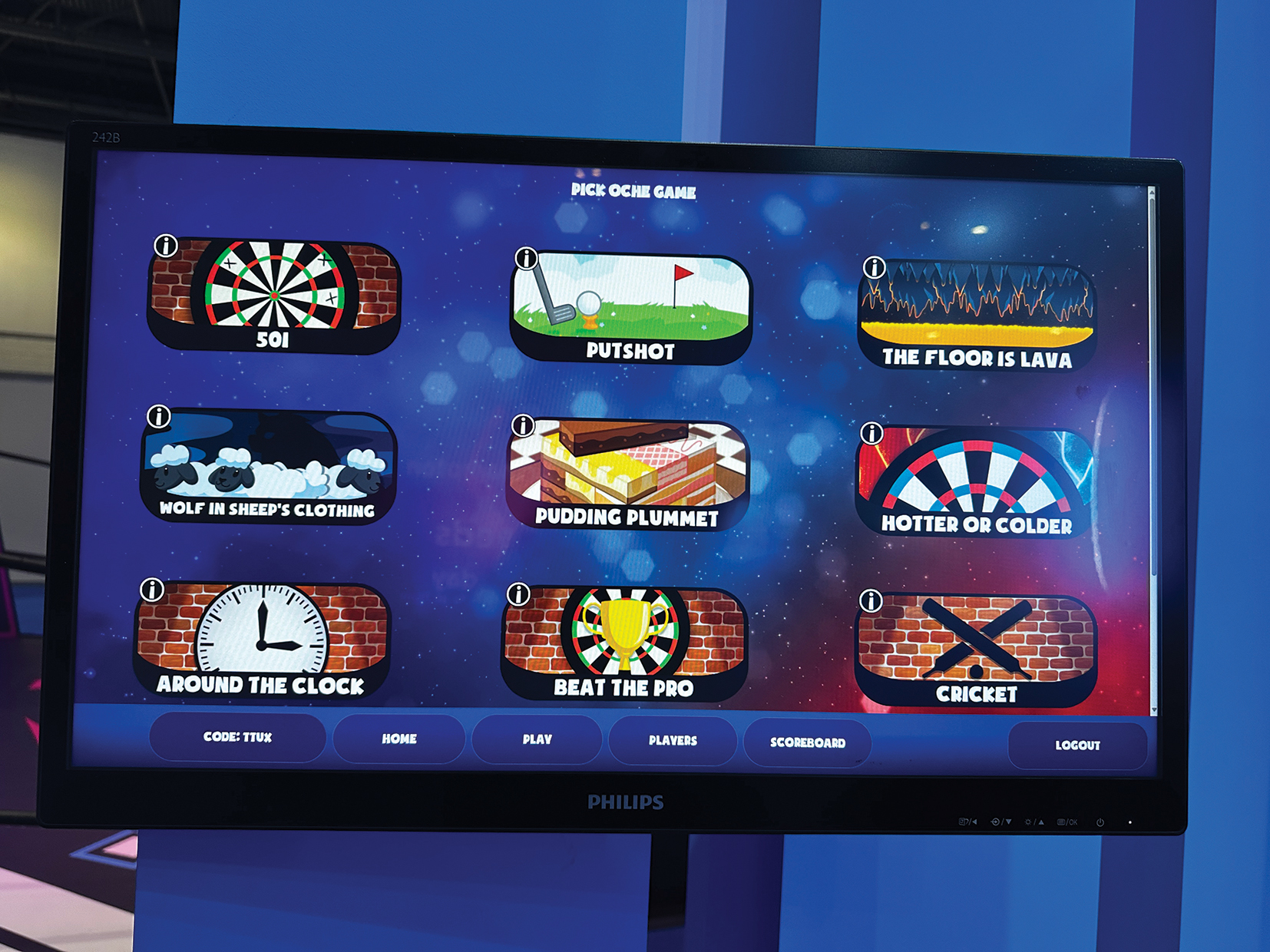
 Games menu
A list of games will appear, go to the menu top right which includes Home, Games, Players and Scores.

Choose a game
- Press ‘Start Game’ button.
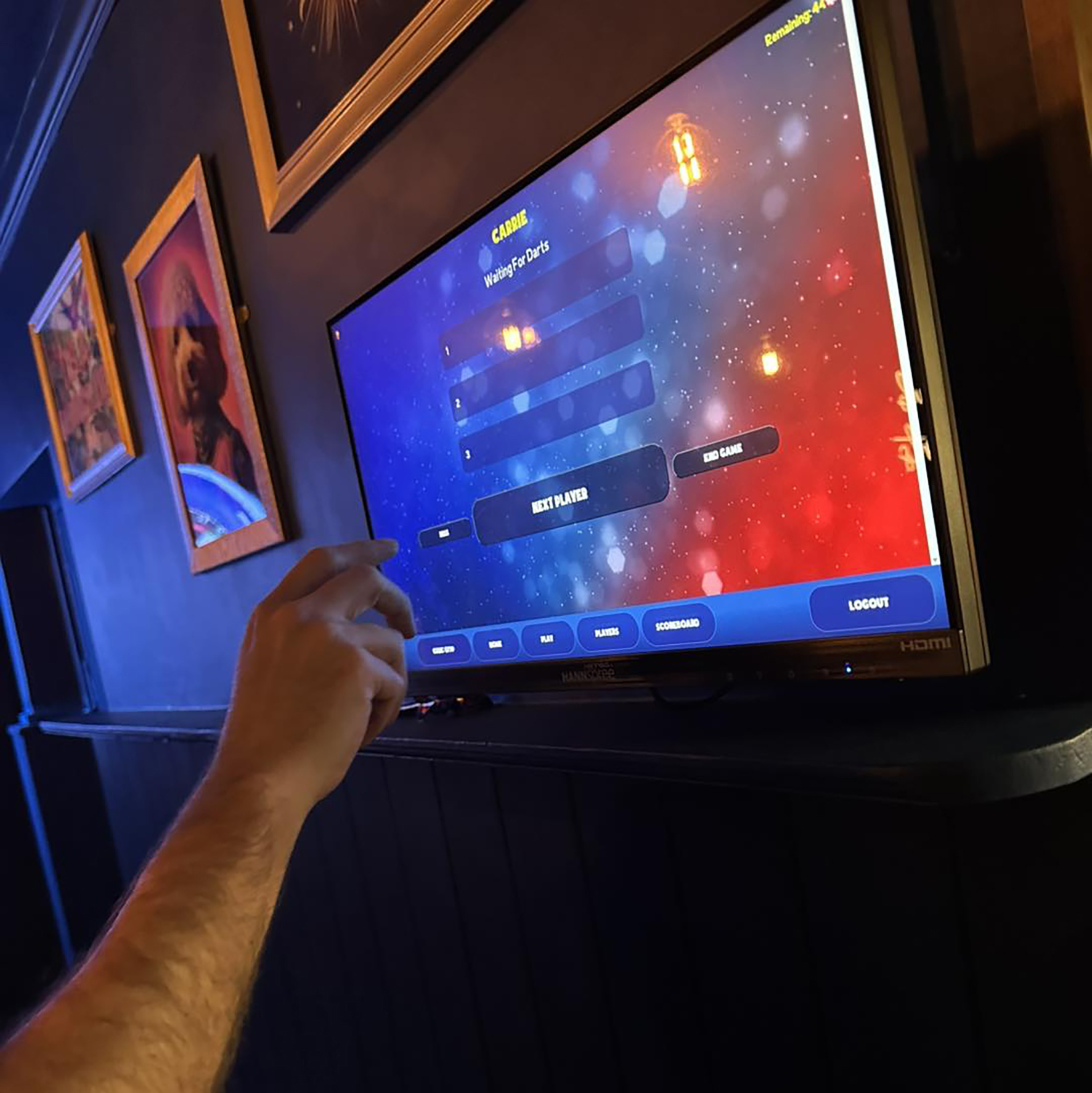
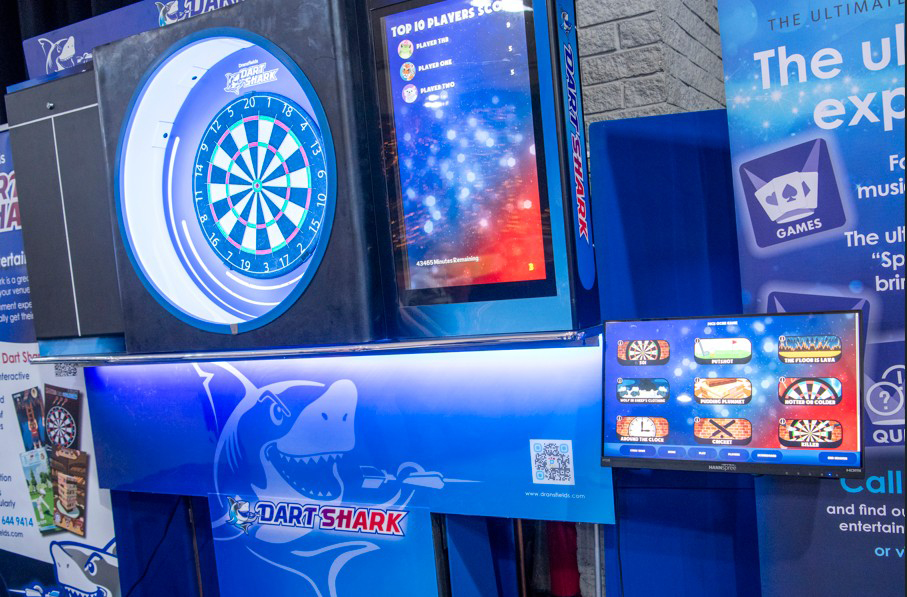
The digital screen at the side of the dartboard will keep score for you. Should the scoreboard make an error, there is an option to EDIT the score at the controller. You can also delete a score if there was an error. - When you have had your turn go back to the touchscreen controller and select NEXT PLAYER
- Once finished, press EXIT GAME in the bottom right hand corner of the touchscreen controller and go back to games menu to select a game.
Game instructions can be accessed by selecting ‘HOW TO PLAY’, a short video will then be shown demonstrating how the game works.
End of session
The time remaining is displayed bottom left of the screen.
You will receive a notification on screen when your session is due to expire.
When a game ends you can select to extend time but will need to purchase another scratch card at the bar in order to be able to continue.
General
You can edit the sound volume at the bottom right of the monitor.